The best menu bar apps for macOS 26 Tahoe
Updated September 6, 2026
The menu bar is the one strip of macOS that is on screen all day, and macOS 26 Tahoe made it clear glass, which sent more people than ever looking for ways to tidy it, read it and make it theirs. This is a list of the apps that actually do that, grouped by the job you want done rather than by popularity. One disclosure first: we make Dynamic Menu Bar, which is in the list under the look of the bar. It is described the way we would want a competitor to describe it — with what it does not do stated plainly.
Before any app: what Tahoe does on its own
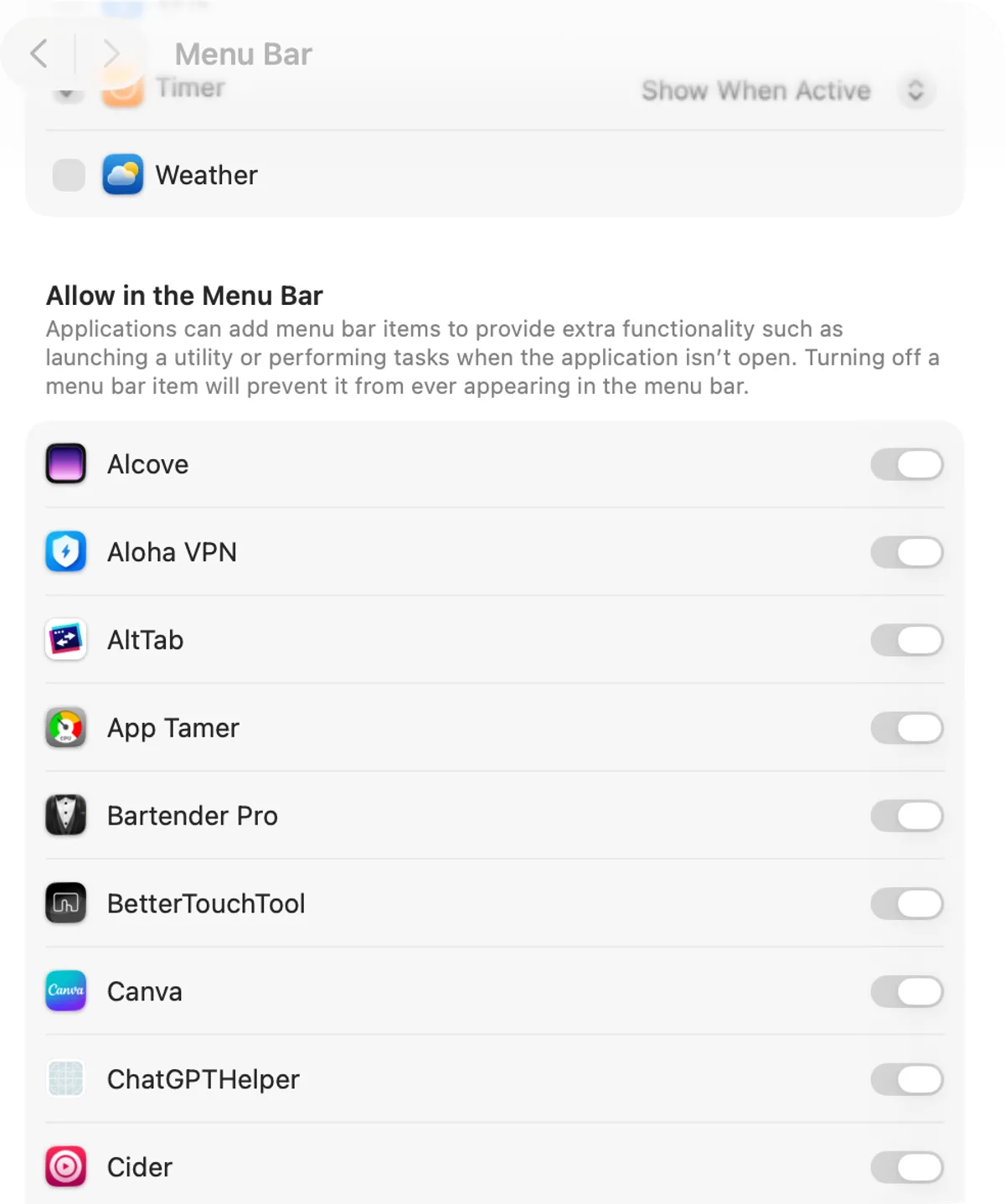
System Settings › Menu Bar now holds most of what used to need a utility: Show menu bar background brings a bar back behind Tahoe’s clear strip, Automatically hide and show the menu bar has four settings, Apple’s own controls have a checkbox each, and Allow in the Menu Bar lists every third-party app with a switch, so an icon you never use can be removed for good. Hold ⌘ and drag to rearrange what is left, and Accessibility › Display has a Menu bar size of Default or Large. The guide to customizing the macOS menu bar walks through all of it; the apps below start where those settings stop.
Organizing icons
Ice — free, open source. The manager most people should try first. Icons live in visible, hidden and always-hidden sections; the hidden ones can appear in the Ice Bar, a floating strip beneath the menu bar that solves the notch problem outright. Hotkeys toggle the sections, and it can tint, border, shadow and reshape the bar. macOS 14 Sonoma or later.
Bartender — paid, one-time, with a free trial. The original, and still the most complete: hidden items, groups, Quick Search for the icon you cannot see, Triggers that show an item only when a condition is met, adjustable spacing, and presets that style the bar with a tint, border, corners and shadow. macOS 14 Sonoma or later.
Hidden Bar — free, open source. One divider: everything to its left is hidden, a click reveals it. Older and simpler than Ice, with nothing to configure, which is the point. Check that the current build runs on your macOS before relying on it.
Changing how the bar looks
Dynamic Menu Bar — one-time purchase, 7-day free trial. Where a manager decides what is in the bar, this decides what the bar looks like: a color of yours, a gradient of up to ten stops, a slow hue drift, a frosted blur, or Live mode, which mirrors the screen just under the bar so tabs and split panes line up with it. The bar can become floating pills, its corners and the display’s corners can be rounded, a light beam follows the pointer, and while music plays the top edge becomes a visualizer with a progress bar you can seek from. Per-app profiles give every app its own look. It does not hide or rearrange icons — pair it with a manager for that. macOS 26 Tahoe or later on Apple silicon; the features page lists every setting.
If a plain fixed tint is all you want, note that Bartender’s and Ice’s styling already covers that, and either is enough on its own.
System stats in the bar
iStat Menus — paid. The reference system monitor: CPU, memory, disks, network, sensors, battery and weather as menu bar graphs, each with a detailed dropdown. iStat Menus 7 runs on Tahoe.
Stats — free, open source. Most of what iStat Menus shows, in a menu bar app you can inspect on GitHub: CPU, GPU, memory, disk, network, battery, sensors and Bluetooth, each module its own icon.
Calendar and time
Itsycal — free, open source. A tiny calendar in the menu bar with your events from the Calendar app, a customizable clock, and nothing else.
Dato — paid, on the Mac App Store. Replaces the clock with a menu that holds a calendar, the day’s events with join links, and world clocks for the time zones you work across.
MeetingBar — free, open source. Shows the next meeting in the bar and joins it in one click, with Zoom, Meet, Teams and the rest recognized from the calendar invite.
The notch
Boring Notch — free, open source. Turns the notch into a small hub: music controls with artwork, a file shelf to drop things onto, and live activities, in the Dynamic Island manner.
NotchNook — paid. The same idea, more polished and more expensive: the notch expands into a widget area with media, shortcuts and a shelf, and the menu bar is styled to sit with it.
Quick toggles
One Switch — paid. A single menu with the switches you keep hunting for: Dark Mode, hide desktop icons, keep the Mac awake, Do Not Disturb, AirPods, screen resolution, and more, each one toggle.
How to pick
- Icons are the problem: Ice, or Bartender if you want search and rules.
- The bar’s look is the problem: Dynamic Menu Bar; for a plain tint, the manager you already have.
- You want to see what the Mac is doing: Stats for free, iStat Menus for depth.
- You live by the calendar: Itsycal for a glance, Dato for time zones, MeetingBar for joining.
- You want the notch to earn its place: Boring Notch first, NotchNook if you want it finished.
Two of the three questions people ask about the bar on Tahoe have their own guides here: how to make the menu bar transparent or solid and how to change the menu bar color on a Mac. For every appearance app and both managers in one table, see the comparison page.
FAQ
What is the best free menu bar manager for Mac?
Ice. It hides and shows icons in three sections, puts the hidden ones in a floating Ice Bar beneath the notch, and is open source. Hidden Bar is the simpler, older alternative.
Can I change the menu bar color on macOS Tahoe?
Not in System Settings, which only toggles the bar's background and switches Light or Dark. Bartender and Ice can tint it a fixed color; Dynamic Menu Bar gives it any color, a gradient, a live color matched to the screen, or a music visualizer.
How do I stop icons disappearing behind the notch?
First remove what you do not need in System Settings › Menu Bar, where Tahoe lists every third-party icon under Allow in the Menu Bar. Then a manager: Ice's always-hidden section and Ice Bar, or Bartender's hidden items, keep the rest a click away.
Do menu bar apps slow a Mac down?
Most of these are small native apps and cost nothing you will notice. The ones that sample things continuously — a system monitor, or Dynamic Menu Bar's Live mode — let you set the sampling rate, and a lower rate is easier on battery.